You are here: »
Home » Posts filed under Blogger Tips
Make website is so easy but make a professional blogger, it’s so difficult. It’s a one by one step become a professional blogger. Everybody now a days open a website and want to success on his blogging business. But For his some common mistake he lost his blogging energy and then stop blogging. Many newbie people are failure for this reason. On below I focus some common wrong way which needs to avoid making a professional blogger.
Start Blogging without Plan:
Most of people don’t know why he open his blog! She don’t know what to do now. So he post anything on his blog. Without planning its not easy to got succeed. Chose a topic now think what you can give your visitor and are preferred for this? If yes then start your blogging on the selected topic. Its help you to get succeed on blogging.
Stop Copy other Article:
Respect the copyright violation. Don’t copy other article and paste it on your site. Google also not like it. Always try to write your own creativity. If you don’t know to much about your topic then research it, read other article about your topic. Now start writing. Without research its not possible to write a quality article. Remember this a visitor don’t like to read copy paste article. They always hate and avoid it.
Useless Blog design:
Design your blog user friendly. To much useless design don’t like a visitor. To much design is also effect your page loading time. Chose a nice font is important of your site. Avoid use different fonts in one page or a post.
Lack of patience:
Without patience, you may not get succeed anywhere. Patience is the key of succeed. On your blogging journey its also a very important part. Lots of newbie want to got a high level traffic in few days. When they not get his targeted traffic on few days then he stops his blogging journey.
Don’t know basic SEO:
Its highly recommended, if you want to traffic find your blog on search engine. SEO is the most powerful way to improve your site audience. Without seo basic knowledge its difficult to grow your audience.
Reading other blog:
To get updated with latest blogging technique. You need to pick some best blog in your niche and keep reading those blog. Leave a significant comment on the blog. Its help you to branding your site and also you can get some referral traffic with a backlinks. So start reading other blog from today and keep updated.
Use Social Media:
After people read your article they might be interested to share your article on social media. But if you not use any social media button on your site they not be able to share this with her friends circle. Use some top social media site share button on your blog. To reach your site traffic social media can play a good role for it.
Try to fix the above mistake of blogging. Hope you got the ultimate blogging succeed on your blogging career
[Read More...]
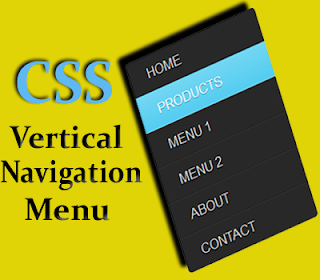
Sharing The first collection of Vertical Navigation menu bar for blogger. Today I give you some awesome designed vertical menu. This menu bar designed by Cssmenumekar. I am modify these and make comfortable for your blogger site. I am tried hard to share the best menu bar for you. Hope you like and enjoy this.
How to add Vertical Navigation CSS Menu on your blogger/blogspot site
1.To add any menu bar from below first copy the css code of your selected menu.
2.Then go to your blogger template and find ]]></b:skin>
3.Past your copied css code just above of ]]></b:skin>
4.Now save your template.
[Read More...]
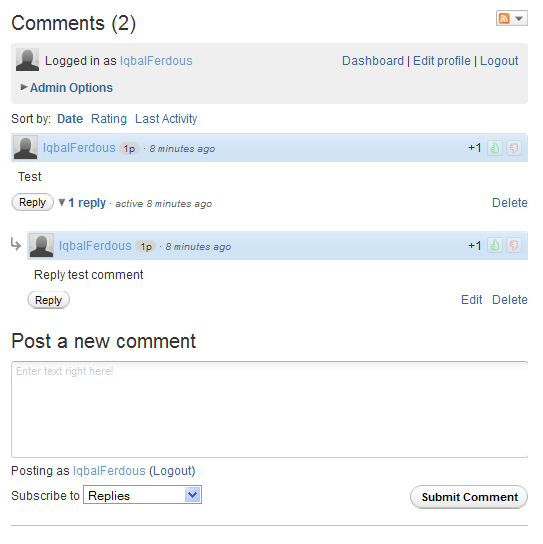
Change your blogger comment box by adding a awesome wordpress style comment box. Hope you know what is Wordpress? Wordpress is a famous free open source Cms Script for buildup a website. The comment system of wordpress blog is so nice, very easy. So why we are blogger user do not use this awesome comment box in our website? Our today tutorial is about adding this wordpress style comment box on blogger.
Customize Your Blogger comment box like wordpress:
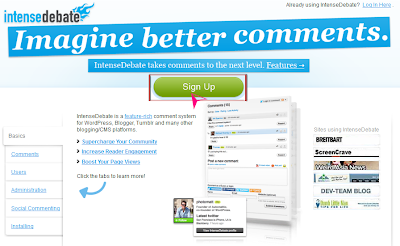
► First go Here Intensedebate
► Click on the signup button.
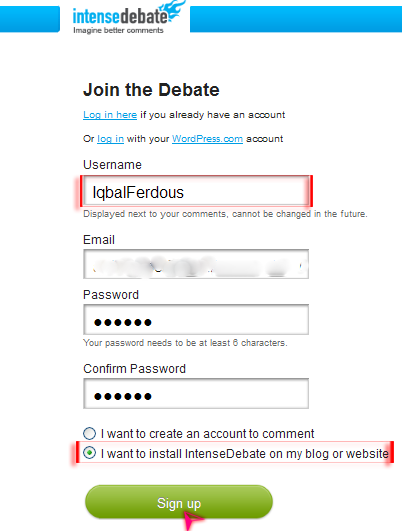
► Now write your user name (The user name use to comment on your blog, you do not change it later), enter your email and password. Before click on sign up, select what you want to do by create this account. We want to install comment box in our site so check on the second step which is – I want to install intense Debate on my blog or website.
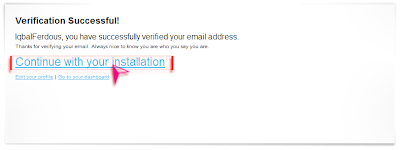
► A confirmation email will send on your email account. Verify your mail address. After verify your mail address you see a page look like on the bottom image. Now click on Continue with installation link.
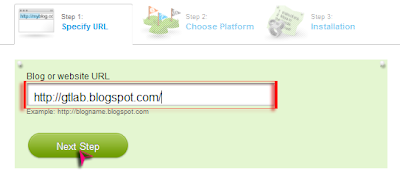
► Give your blog url and go to next step.
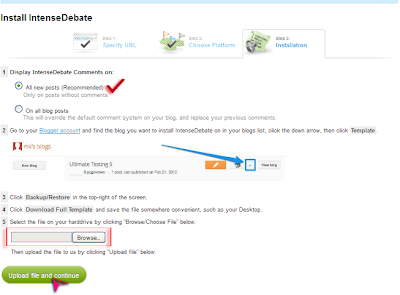
► You will see a page on the next step look like below image. Now you need to upload your full blogger template on there.
Go to your Blogger Dashboard>Template>Backup or Restore and Download your full template on your pc.
Now on this page you need to upload your just downloaded website Template. No need to change anything on this page. Just upload your template and click continue.
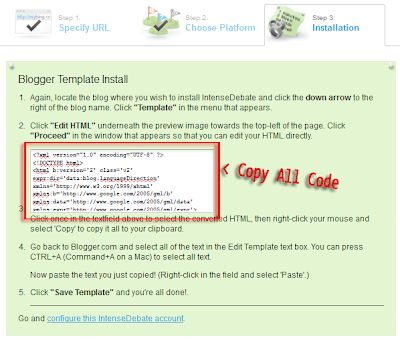
► After finish upload template, they edit your template automatically and add the comment box on your template. You now just need to copy all these Selected (Press Ctlr+A) code.
Go to your Blogger Dashboard> Template> Edit Html> Proceed. Select all the code of html box (Press Ctlr+A) and paste the copied code above the selected code. Save your Template. Your all done :)
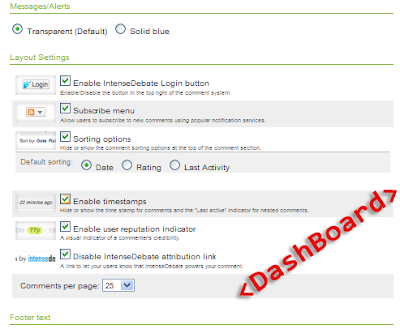
► To change your comment box style, setting, add or remove many options just go to your Intense debate account Dashboard.
To remove this comment box from your blog after installing, Just upload your previous downloaded template.
Let me know how you enjoying this awesome Comment box.